Two things changed this month. Both are worth knowing about.
Finding the right domain name is messy. You search something, it's taken. Tweak it, also taken. Three variations in, you've forgotten what you were originally looking for.
One of these changes is new. The other has been in the extension for a while, but it was broken enough that we never really talked about it.
Affixes: Find Available Domain Variants Instantly
Most domains you actually want are taken. The ones that aren't are usually one word off. Add "get" or "try" before it, or "hq" or "hub" after, and there's often something available. Checking all those one by one is the annoying part.
Affixes handles that.
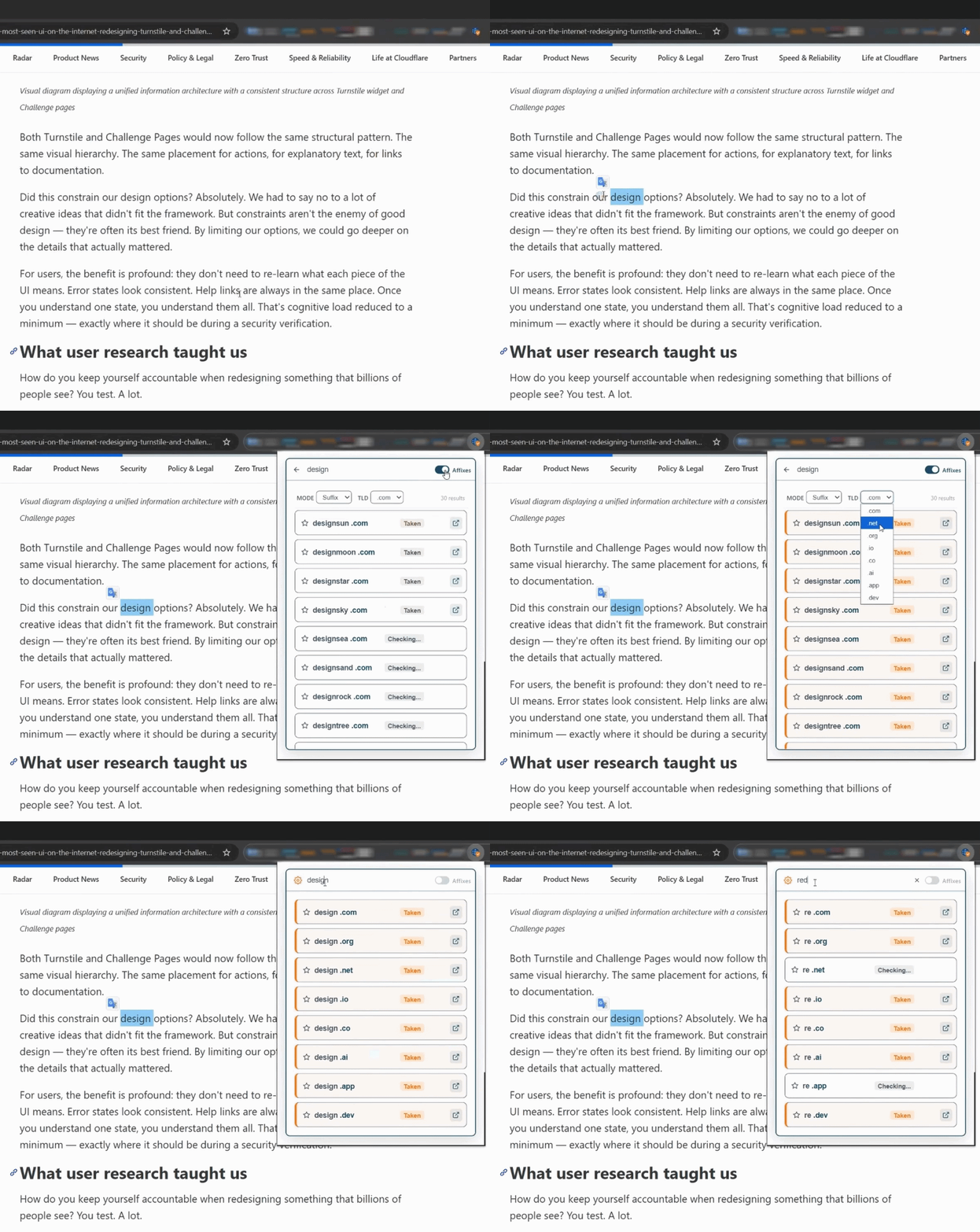
Flip the Affixes toggle in the search bar and the extension generates variants from your keyword and checks them all. Results come in as they load: green for available, red for taken.
How to use it
- Type any keyword or domain name into the search bar.
- Flip the Affixes toggle (it's the switch on the right side of the search bar).
- Choose your preferred Mode (prefix, suffix, or both) and TLD from the dropdowns.
- Browse the results. Green means available and ready to register.
You can also turn on Affixes from a WHOIS result. If a domain is taken, hit the toggle on that screen and it starts checking variants right there. When you're done, the back arrow takes you back.
If you keep typing while Affixes is on, the variant list updates as you go.
Setting up your Affixes
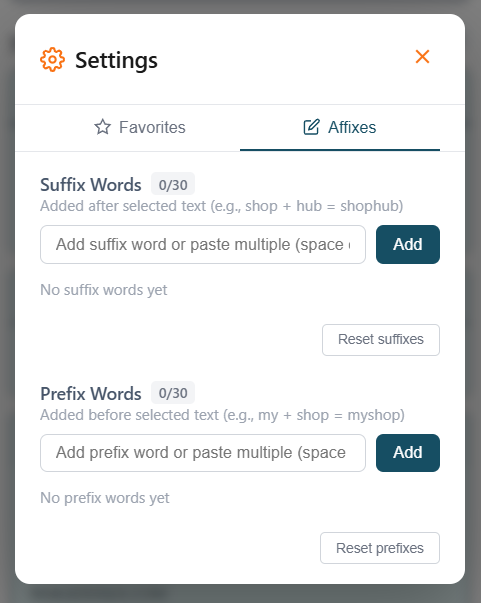
The word lists are yours to edit. Open the settings (gear icon in the search bar), go to the Affixes tab, and add whatever prefixes or suffixes fit your work: industry terms, brand words, anything.
The defaults work fine for general use. But if you're doing a lot of fintech or health research, your own list will get you better results. Set it up once and it sticks.
Quick Search: Select Any Text, Look It Up Instantly
Quick Search has been in the extension for a while. It also didn't really work right, so we never pushed it. It works now.
Highlight any text on a page and a small icon appears. Click it and the extension opens with that text as your search. Works on brand names, article copy, anything that catches your eye.
It's a fast path from "that's an interesting name" to "is that domain available."
How to enable it
Quick Search is off by default to keep things out of your way. To turn it on:
- Click the icon in the search bar.
- Go to the Quick Search tab in settings.
- Toggle it on and save.
Let's see if best-domain

Both updates are live. Quick Search is off by default — flip it on in settings whenever you're ready.
DomainToolBelt is a free browser extension for instant WHOIS lookup, domain availability checking, and name variant search across 200+ TLDs. Available for Chrome and Firefox.